Friday, January 09, 2009

First Look at Windows 7 Beta

Last night I downloaded the ISO of the Windows 7 Beta installation disc from MSDN.  This morning I installed it on a fairly generic Intel PC with a 2.66 GHz Core 2 Duo, 3 GB of RAM, a 160 GB hard disk, DVD burner, with an Intel DQ965 chipset.

Installation was a snap on this hardware, taking about 20 minutes.  Compared with Vista, the most noticeable differences upon first logging in are (a) the gadget bar on the right of the screen is absent, and (b) a new task bar.  Gadgets can be setup on the desktop but the gadget bar isn't loaded by default.  The new task bar merits some comment.

I've seen in various articles online how the new task bar is similar to the OS X Dock.  It does bear some resemblance.  E.g., you can drag an application icon to the Task Bar to create a launcher.  When you click on it, the app opens.  When you minimize the app, it does so to the icon, which is then surrounded by a box.  If you have more than one instance of an app open, the icon appears as a stack.  If you hover the cursor over the icon stack, you'll get a popup with previews of each window.

Photobucket

So far it runs faster on my hardware than Vista does.  User Access Control seems a bit less obnoxious, and it's less bloated.  For example, Windows Live Mail and Messenger are no longer part of the installation, but you can download them through Control Panel.

Internet Explorer 8 Beta is the stock browser and it runs very quickly.

Photobucket
Like Vista, if you press Windows Key-Tab, you can see all of your open apps.

Photobucket
There is still no built in SSH client, and the telnet client needs to be enabled through Control Panel > Programs and Features > Turn Windows features on or off, which is just dumb.

Oh, the default desktop background is a painting of a Siamese Fighting Fish, AKA a Beta Fish.  Cute.

Tuesday, January 06, 2009

Back to the Old Grind and a Range Report

Back to the old grind.  Yesterday was my first day of work since December 23rd, and it was hard getting up at 0610.  I'm not complaining, since I'm grateful to have a job in this economy.

Since my last post about the LRGC Kalashnikov Match (at which I did lousy because my rifle's sights were off), I spent time with the family, made it to the range a couple of times, and picked up a new toy.

The new toy is a Century Arms VZ-2008 Sporter, a semiauto clone of the Czechoslovakian assault VZ-58 rifle.  It bears a superficial resemblance to the AK, but there are no interchangeable parts.  Aside from having some technical difficulties with it when I brought it to the range Sunday, I'm going to hold off on posting about it, since I've pitched an article on it to a gun magazine.

My goal on the first range trip was to break in a new-to-me SAR-1 which I got from my dad.  The last time he'd shot it he experienced several malfunctions due to the fire control group (hammer, trigger, and disconnector).  He ordered a Tapco G2 FCG to replace the factory parts, but had never gotten around to installing it.  He also ordered an "L" shaped trigger and hammer pin retaining spring, which I used in lieu of the factory Shepherd's Hook.  The "L" spring is a lot easier to remove and install.

Tapco makes some good stuff and some bad.  The G2 FCG is one of their good products, this was third one I've installed in an AK.  It provides a light trigger pull with minimal creep, and little to no trigger slap.  (Trigger slap is when the action resets, pushing the trigger back forward, slapping your finger in the process.  This can be painful, especially in cold weather.  It's common on AKs.)

I ran a couple hundred rounds through the SAR-1 without any problems.  I needed to do some minor sight adjustments to zero the iron sights.  With the Wolf Military Classic FMJ ammo I was shooting, I was able to keep most shots within the black of an SR-1 target at 100 yards when shooting from a solid rest.  This is about as good as I can do with an AK and open sights.

After getting the SAR-1, I ordered a set of K-Var plastic handguards with a heat shield, and a Polish Tantal folding stock.  The wood furniture which came with the rifle looks good but the handguard heats up quickly in rapid fire.  I want a folding stock for storage and transport.  Unfortunately, I received the handguards but not the folding stock, because the merchant's online inventory wasn't updated before I put in my order, and by the time I did so it was out of stock.  so for now I have mismatched furniture on the gun.  So yesterday I ordered an East German folder from WhatACountry.com.  Once I get that squared away the next thing I want to do is get the muzzle threaded and install either a muzzle brake or flash hider.

Something else I acquired over vacation was a three pack of Finnish Valmet M62 magazines, which fit other AKs in 7.62x39.  They all fit fine in my SAR-1 but a couple are snug in my MAK-90.  I ran about 300 rounds through them with no problems, and posted a report on a couple of boards.  One reply from a Finn indicated that the OD mags, such as those I received, were for trials and can bulge when left loaded.  Graphite colored M62 mags are good to go, however.  In any event they seem to be good range mags and a neat collectible.

Saturday, December 27, 2008

Red, White & Blue December at LRGC

Another great practical rifle match at Langhorne Rod & Gun Club today.  The theme today was Kalashnikovs.  Most participants shot one AK variant or another.  I saw a couple Bulgarian Arsenal AKs (including mine), several Yugos (fixed stocks, folders and RPKs), a Norinco underfolder, a custom AK-105 clone, and a Saiga converted into an AK-104 clone, and some Romanian rifles.  There were also a few AR-15s and one Chicom SKS which took AK magazines.  There were a few shooters in the "war horse" class, with Garands, an SVT-40, and one Swiss K-31 Schmidt-Rubin.

The course of fire included:
  1. From about 10 yards, 20 rounds in two double taps.  Then 3 magazines of 3, followed by a transition to pistol with 10 rounds.
  2. From 200 yards, 3 magazines of 10 from prone.
  3. From 100 yards, 3 magazines of 10 from standing, kneeling, and prone.
  4. From 100 yards, one mag with 30 rounds to get 9 hits on 3 steel targets.
Part of the crowd:

Photobucket

The firing line:

Photobucket


Some of the hardware:

Photobucket

As always, the crew at Langhorne put on a fun, safe shoot.

Edit:  I forgot to mention that I met Sebastian of Snowflakes In Hell.  He's posted his impressions of the event here, with some pics, including a couple of yours truly.

Monday, December 22, 2008

MTV on the Holocaust

Coming from MTV, I find this to be remarkable.  Very well done.

Sunday, December 21, 2008

Happy Chanukah!

Happy Chanukah!

Time for my now-traditional link to my 2004 post on the subject.  I find it particularly topical, given the level of Jewish support for Obama/Biden in the recent election.

MSI Wind 9 Cell Battery

Since I was dissatisfied with the short battery life of the OEM 3 cell battery which came with my MSI Wind netbook, last week I ordered a 9 cell replacement from Battery1Inc.com, through Amazon.com.  The battery arrived on Friday.

The 9 cell battery is physically larger than the OEM 3 cell.  It protrudes from the bottom of the case about an inch and adds about a half pound to the machine's weight.  It's still quite compact and portable, and the increased battery life is worth the increased weight and bulk IMO.

Battery1Inc.'s website states that they are shipped in a discharged state.  However, when I plugged it in XP showed the battery as being 100% charged.  I ran the netbook for about 2.5 hours on battery power, with the remaining life shown by XP fluctuating.  So, I plugged it back in to ensure a full charge, with the intention of testing the battery later.

It's late.  I unplugged the machine and fired it up at 0945 this morning.  XP's battery monitor reported 7:31 remaining.  A few minutes later it reported 5:30 remaining.  A few minutes after that it showed 6:10.  I'm wondering if XP is not able to accurately estimate battery life over a certain period, or it if there's some problem communicating with the battery.

In any event, I'm going to try using the Wind today until I get a low battery warning.  I'll post an update later.

Edit at 1906:  After using the Wind off and on throughout the day, I finally got a low battery warning at 1835. If this kind of performance lasts, I will be very happy, indeed.

Edit:  Here's the battery I purchased:

Replacement Netbook Battery for MSI laptop Wind U100/ BTY-S11, BTY-S12, 3715A-MS6837D1, 14L-MS6837D1, 6317A-RTL8187SE, TX2-RTL8187SE /9-cells Black 7200mAh High Capacity

Saturday, December 20, 2008

MSI Wind PC

Last night I put together a new PC for my MIL.  It's based on an MSI Wind small form factor barebones system.  As usual, NewEgg delivered that parts I ordered very quickly.  It took two days to receive my order, even though I'd selected 3 - 5 business shipping.

The Wind barebones system comes with a 1.6 GHz Intel Atom CPU, an external power supply, and the SATA II data and power cables already attached to the motherboard.  Also included in the box were a Windows driver CD, a short User's Guide booklet, and screws to mount the hard disk and optical disk.

The Wind comes with 6 USB 2.0 ports (2 on the front), audio in/out on front, a speaker jack on the rear, along with jacks for surround sound speakers, and a flash card reader in front.  The card reader can handle compact flash and Sony Memory Sticks.  Dimensions of the SFF system are a scant 11.8" x 9.5" x 2.6".  Here are a couple of pictures of the Wind sitting on my desk next to my 20" widescreen monitor, with a coffee mug and my Black's Law Dictionary, 6th Ed. for scale.  (Click on the thumbnails for full size pics.)

MSI Wind PC

MSI Wind PC


For networking there's an onboard Realtek Gigabit Ethernet adapter.  The Intel GMA950 video adapter is onboard, as is the Realtek ALC858 sound card.

Rounding out the parts of the system are:

1. A Samsung SATA DVD-RAM drive.
2. A Western Digital 160 GB SATA hard disk.
3. A 200 pin SODIMM, 2 GB stick of Kingston DDR2-533 RAM.

The system is cooled by an exhaust fan mounted on the back which draws air in from vents on the right side (if you have it laying flat) of the box.  These vents are on the bottom of the case if you prop the system vertically, so MSI includes a stand which elevates the box off the floor.  (One could put the case on the other side but then the system would not take advantage of the fact that hot air rises.)  One thing that helps system cooling is that the 65W power supply is external.

Assembly of the system was straightforward.  Remove two screws on the back and you can remove the top/side of the case.  You then need to remove the front bezel, take out the filler for where optical drive goes, and mount the disks, using the screw holes on the bottoms of the disk drives.

Inserting the stick of RAM was a bit trickier.  The motherboard has one slot for a 200 pin DDR2-533 SODIMM.  The slot is tight and the latches securing the end of the SODIMM took some persuasion to allow the stick in, but after a few minutes I got it seated.

The motherboard also has two slots which remain unused in this system: a mini PCI-E slot for a wifi or TV tuner card, and a Compact Flash slot.  The latter can be used for building a completely solid state system, installing the operating system on a CF card.  Somewhat annoyingly, even when empty the CF slot shows up as Disk 0 in the system, which results in Windows being installed onto E:.  This caused one post-installation problem, which I'll discuss below.

Windows XP Professional SP3 installed easily after I got the system put together.  Note that the system does not have PS/2 ports for the mouse and keyboard, so you must use USB.  Keep this in mind if installing a pre-SP2 version of Windows or other OSes which don't support USB keyboards and mice during installation.

During installation I partitioned the hard disk, creating a 50 GB system partition with the remained to be used for data.  This will simplify reinstalling Windows if I need to do so down the road.  Post install, I created an account for my MIL and pointed her "My Documents" desktop shortcut to a folder on the second partition, the F: drive.

Once XP was installed I popped in the disc to load the drivers for sound, video and the network.  The sound driver required a reboot but IIRC, the video and NIC drivers did not.  I currently have the box connected to my Acer 20" widescreen LCD monitor, and the Intel GMA950 has no problems running it at 1600x1050 resolution, in 32 bit color.

The applications I installed are:

1. Anti-malware HOSTS file from MVPS.org.
2. AVG Antivirus
3. Ad Aware
4. Firefox 3.0.5 with two extensions, Adblock Plus and Linkification
5. Foxit Reader (PDF reader that's much lighter than Adobe's)
6. PDF Creator
7. VLC for viewing videos and listening to audio files
8. MS Word, Excel, PowerPoint, and Publisher 2007
9. CPUID Hardware Monitor
10. Nero Burning ROM
11. CCleaner
12. Skype, to be used with a webcam she already has

As mentioned above the system sets up the internal CF reader as Disk 0, and Windows sees this as C: in Disk Manager.  I thus wound up with the DVD burner as D: but the system partition on the hard disk as E:, and the data partition as F:.  Not having XP installed on C: caused the installation of Adobe's Flash Player to fail with an insufficient disk space error.  After hitting Google I found a workaround: connect a USB flash drive to the system.  Then, go into Disk Manager and change the CF reader to an unused drive letter (Z: in my case), change the USB flash drive to C:, then rerun the Flash player installer.  Upon doing so it ran.  My MIL will be happy now that she'll be able to watch videos on Youtube. ;-)

I was a bit concerned about system cooling.  The intake vent is right next to the RAM which partically blocks airflow, since the SODIMM protruded at right angled to the motherboard.  In laptops the RAM would be flat against the board.  I fired up CPUID Hardware Monitor and then watched several Youtube videos, an activity which warms up other systems I've used.  CPU temp stayed around 104* to 106* F.  I followed this up with the first two tracks from Derek and the Dominos Live at the Fillmore, played in the DVD-RAM drive.  CPU temp remained around 103* to 104*, so as long as the vents remain clear cooling should be adequate.  (I haven't tried ripping CDs or DVDs, which might stress the system more, raising temperature.)

The Derek and the Dominos CD played fine using VLC.  When I put in a Star Wars DVD and tried to watch it I got audio and a bunch of pixelated junk, however.  Another DVD player might work better, I'm not sure.  My MIL won't be watching DVDs on this system, in any event.

Since my MIL doesn't know yet that I've built this system for her, it's a bit tempting to throw Ubuntu or OpenSUSE on the box to see how it would handle Linux.  From how it works with XP, I think it should have plenty of power, especially with a lightweight desktop like XFCE.

The Wind is low powered by today's standards.  However, it does have enough processing power to handle light office tasks, web browsing, email, viewing online video, and listening to music.  Compared with a more powerful system, it's green, using less electricity and generating less heat.  The small dimensions make it easy to fit into cramped spaces.  In a sense, it could be viewed as the PC world's equivalent of a Mac Mini, but easier to work on and less expensive.  For users in need of a system which will do the tasks listed above, and who don't need a more powerful system for sophisticated audio/video processing, the MSI Wind barebones PC is a good option.  With disk space being cheaper than ever, the Wind could be the basis for an inexpensive, low power home server.  Finally, the onboard CF slot also offers interesting opportunities, such as building a flash based system for use as a web or X terminal.

Wednesday, December 17, 2008

New PC for MIL

Being the resident computer geek in my extended family, end user support naturally winds up being my responsibility.  So, when it comes time for someone in the family to get a new home computer either I put it together or they ask me for a recommendation.

For example, my mother in-law (henceforth “MIL”) currently has a PC I built up for her about 5 or 6 years ago.  It’s an MSI minitower, one of the PCs WalMart was selling sans OS several years ago.  It worked OK for awhile but it’s long in the tooth now and in dire need of replacement.  It has a 900 MHz AMD Duron CPU, 256 MB of RAM, and a 10 GB hard disk.  This afternoon, I ordered the parts from NewEgg to build her a new PC.

Based on the good results with her existing MSI PC and my Wind netbook, I chose an MSI Wind barebones PC as the basis for the new box.  The Wind barebones apparently takes a motherboard very similar to the one in the Wind netbook and puts it into a small form factor desktop/minitower case.  Like the netbook, it comes with a 1.6 GHz Intel Atom CPU and takes a maximum of 2 GB of laptop RAM.  There’s space for a 3.5” hard disk and a 5.25” optical drive.

To complete the machine I also ordered the following hardware:

  • 2 GB stick of Kingston RAM
  • 160 GB Western Digital SATA hard disk
  • Samsung SATA DVD burner
  • Logitech USB keyboard and mouse

This is low end by today’s standards, but her most important applications are Firefox, Skype (for talking to my brother in-law in Okinawa), and Office.  My Wind netbook handles these with aplomb so the desktop should be just fine.

Other reasons for choosing the Wind barebones is that its small form factor will fit into MIL’s cramped bedroom easily and it has low power consumption.   It didn’t hurt that NewEgg had it on sale and there’s a $10 mailin rebate.

The software load with be XP Pro SP3 with IE6 (IE7 sucks up too many system resources even when you’re not using it), MS Office 2003, Firefox, AVG antivirus, and Skype.

So why not a Mac?  Two words: low budget.  This setup is costing less than $300 (we already have the XP and Office licenses).   Even a low end Mac Mini would cost at least $300 more.

And why Windows instead of something like Ubuntu Linux?  If MIL didn’t use MS Office, I’d be perfectly happy to load Ubuntu  on it.  A few years ago I had my parents using SuSE 7.3 at home and it worked fine until they had a few windows programs they really wanted to run. For MIL, Firefox and Skype would work just fine on Linux.  MS Office, not so much.  (No, for her OpenOffice.org is not good enough.  OO.o does not perfectly translate heavily formatted Office docs, which she sometimes brings home from work.)  I’m able to configure XP so that it needs relatively minimal attention, and the only networking she does is Internet access from behind a router.  She doesn’t live with us so being around to help her learn a new OS isn’t really feasible.  YMMV.

I’m hoping my order will arrive next week so I get to move her to the new machine by the end of the year.  I’ll post a follow up once it’s up and running.  Assuming it works out well, I may wind up getting a second one for use as a home server here.

Monday, December 15, 2008

MSI Wind Netbook Review

I bought an MSI Wind U100-420US netbook at Microcenter just before Thanksgiving. They had it on sale for $299; their regular price is $349. My intended uses for the box include ham radio programming, PSK-31 once I get my General Class license, and portable computing when I don't feel like schlepping around my 15" MacBook Pro. It will also fill a role as a commo and navigation box in the event of an emergency and we need to evacuate.

The Wind hardware is pretty slick. Mine has a black case but it's also available in white, pink, and a "Love Edition" which is white with hearts on it. (Barf.) It weighs 2.6 lbs., came with a 120 GB hard disk, 1 GB of RAM, and a 1.6 GHz Intel Atom CPU. It has 802.11g wifi, a 10/100 Ethernet port, a 56k modem, A/V input/output, VGA out, 3 USB ports, and a card reader. I bumped the RAM to the maximum supported, 2 GB (a Kingston 1 gig stick was $13.99 + free shipping from NewEgg). The keyboard is good for the size of the unit, just a bit cramped. A few months ago I had the chance to play with a 7.5" Asus Eee PC 4G which while handier, is much harder to type on. Also, the 10" 1024x600 screen of the MSI is much better for web browsing. Based on using the Wind I've decided that it's as small as I want to go. To demonstrate how small the Wind is, I've posted some pics of it along with my 12" G4 iBook and my copy of Black's Law Dictionary here .

By pressing Fn-F10 you can put the Wind into "Turbo mode." Contrary to what you might think, this actually underclocks the CPU to 800 MHz, to save battery power. Similarly, you can enable or disable the wifi radio to save power by pressing Fn-F11. In fact, wifi was disabled out of the box and it took me a little while to figure this out, which was annoying. For some reason, I had to reenable wifi after I upgraded the RAM.

The Wind came with XP Home SP3 and was surprisingly free of crapware, unlike most consumer PCs. While I prefer OS X or Linux, I'm leaving XP on it so I can run a few Windows programs. Specifically, the two apps to program my ham radios -- FTB7800 from G4FHQ and ADMS-1E from RT Systems -- require Windows and I had problems getting them working properly in a Pareallels Desktop VM on OS X (mainly due to the need to use a USB-to-RS232 adapter). Aside from those apps I spend the bulk of my time in a web browser, so the OS is just in the background. And like it or not, having a copy of Internet Explorer is sometimes useful when dealing with web sites designed by clueless webmasters who don't abide by Internet standards. I am leaving it at IE6, as I don't want the performance hit incurred when loading IE7.

Another Windows app I'm using is MS MapPoint 2009. Although I have a GPS in my truck, and can take it with me if I have a rental car, MapPoint provides me with more advanced mapping capabilities, including finding nearby restaurants or other businesses while traveling. Since MapPoint includes maps for the entire continental US in its highly compressed database, it's useful even without an Internet connection. (MS Streets and Trips would provide the functionality I need, but I got MapPoint through our MSDN subscription.) However, if I'm in a Verizon area, I can connect the Wind to my Blackberry and get online using Verizon's EVDO network, with DSL-like speeds.

I've been running the Google Chrome web browser on the Wind, with the "phone-home" features disabled. (I confirmed it wasn't sending data back to Google home by running a packet trace using Wireshark.) Chrome is very fast and can be configured with minimal toolbars to make best use of the Wind's small 10" screen.

Upgrading the RAM involved removing 9 screws and pop off the bottom half of the case. Doing so requires you to punch through a sticker warning you that by opening the case you're voiding the warranty. Before I did this I googled and found several references to MSI NOT voiding the warranty if all you're doing is upgrading the RAM, and possible the hard disk. Both the RAM slot and the hard disk are easily accessible with the case open.

A 1.3 megapixel webcam is positioned in the bezel at 12 o'clock. Picture quality is about what I'd expect for such a webcam (not very good), but it'll be good enough for use with Skype if I'm traveling. My kids will be able to recognize Daddy. There's also a microphone for use with messenger programs, and of course a couple of speakers. The mic and speakers worked OK during a test phone call made with Skype. The speakers really aren't adequate for listening to music but the sound when using external headphones is fine, so the sound card is decent.

MSI's standard software load for the Wind includes a Bluetooth manager, even on Winds like mine which ship with no Bluetooth module. With the case open the slot to connect a Bluetooth module is accessible, so I may add one if I can do so cheaply, though I have no pressing need for it. The software load also includes Ulead disc burning software which will come in handy if I connect an external burner. I have an unused Plextor dual layer DVD-RW drive in an old PC which could fill the bill, using a USB-to IDE adapter that I have. (This is OK for home use but would be clumsy for travel.) MSI also installed a full version of WinRAR, which aside from being useful for dealing with compressed archives can also open .ISO disc images.

Out of the box the hard disk was divided into a 40 GB C: drive labelled "OS_Install," a small hidden restore partition, and the remainder as D:. I will be keeping my data on D: so that in the event I need to reinstall the OS, I shouldn't need to restore my data. Among the data I'll keep on the box will be a backup copy of the TrueCrypt volume storing all my important stuff on my MacBook Pro, various USGS topo maps, reference materials including a copy of FM 21-76, a first aid manual, and other documents which would be useful in an emergency. For more on the usefulness of a laptop in an emergency situation, check out Shane S's excellent site, Listening to Katrina  .

Other software I've installed includes MS Word and Excel 2007, OpenOffice.org 3.0, Wireshark for packet sniffing, VLC, AVG antivirus, Ad Aware, MVPS.org's anti-malware hosts file, CCleaner, Verizon's connection manager, Firefox 3, Opera 9, Pidgin, Skype, and TrueCrypt. Keeping in mind the travel uses for the box, I've also downloaded some USGS topographical maps for my local area, along with others to which I travel, in PDF format.

The Wind did not come with any kind of a carrying case, so along with it I bought a Case Logic netbook sleeve made of neoprene. This will provide some cushioning when it's carried inside of my pack.

So far the only thing I'm dissatisfied with is battery life. It has a 3 cell battery so it only lasts about 1.5 - 2 hours before needing to be plugged into A/C. This is barely adequate for around the house use, much less while traveling, in the field, or during a disaster. I'm therefore looking at getting a 6 cell or 9 cell battery. (Performance in the battery saving Turbo mode is noticeably slower than when the unit is running at full speed, so I haven't tested it to see how much it will extend battery life.)

Aside from the short battery life the MSI Wind is a great little PC. It makes a nice secondary computer for desktop PC owners or those with large "desktop replacement" laptops looking for a machine that's easier to tote around.


Edit:  Well, this afternoon I hit Amazon and ordered a 9-cell battery for the Wind.  It'll be shipped from an Amazon affiliate, Battery1Inc, and I should get it before Christmas.  I'll post a follow up once it arrives.

Friday, December 05, 2008

Clonezilla for PC Backups

One of the reasons I wanted to get our XRAIDs up and running is to use them as storage space for backup images of our lab PCs. Since we use the lab PCs to test all manner of programs, and since Windows tends to develop bit rot over time, the PCs periodically need to be wiped and rebuilt. Doing this manually is tedious, to put it mildly.

With a big, network accessible storage space, I can build up a PC, get it into good working order, then create an image of the hard drive and save it on the XRAID. Then, the next time I need to rebuild that particular box I just wipe the drive and reapply the image.

Using disk images to backup PCs is of course nothing new. Several commercial products can do this, e.g., Symatec Ghost. However, we only have one license for Ghost even though we have over ten lab PCs. Open source to the rescure.

I recently downloaded Clonezilla , which is based on a live version of Debian Linux. I used Clonezilla to create a compressed hard disk image of one of my lap PCs, a Dell Latitude D600. The image was saved via SCP to a network accessible directory on the XRAID.

To test the restore function, I then reformatted the Dell's hard disk using GParted, running on a System Rescue CD , another bootable Linux distro. Next, I booted the PC using the Clonezilla CD and did a restore.

It appears to have worked perfectly, restoring my XP Pro partition, Debian partition, and the MBR.

Aside from PCs, Clonezilla's web page indicates that it supports Intel Macs.  I plan to test this using our department's MacBook.  Assuming that it works on the Mac platform I'll also create an image of Rohan, my MacBook Pro.

This is going to make my life easier.

Wednesday, December 03, 2008

ZOMG!

How I spent last Saturday:


I put up some of my own pics here , and a couple of crappy low-resolution videos taken with my Blackberry here .

Langhorne Rod and Gun Club put on yet another fun and safe shoot.

Remington Responds on H-S Precision

Remington uses a lot of H-S Precision stocks in build some variants of their Model 700 rifle.  Over at The War on Guns, David Codrea has a response from Remington's CEO, Tommy Milner .

Remington did the right thing when faced with Jim Zumbo so I'm optimistic they'll do the right thing regarding H-S Precision.

Tuesday, November 25, 2008

HS Precision Gets Endorsement by Lon Horiuchi

{Via AR15.com.)

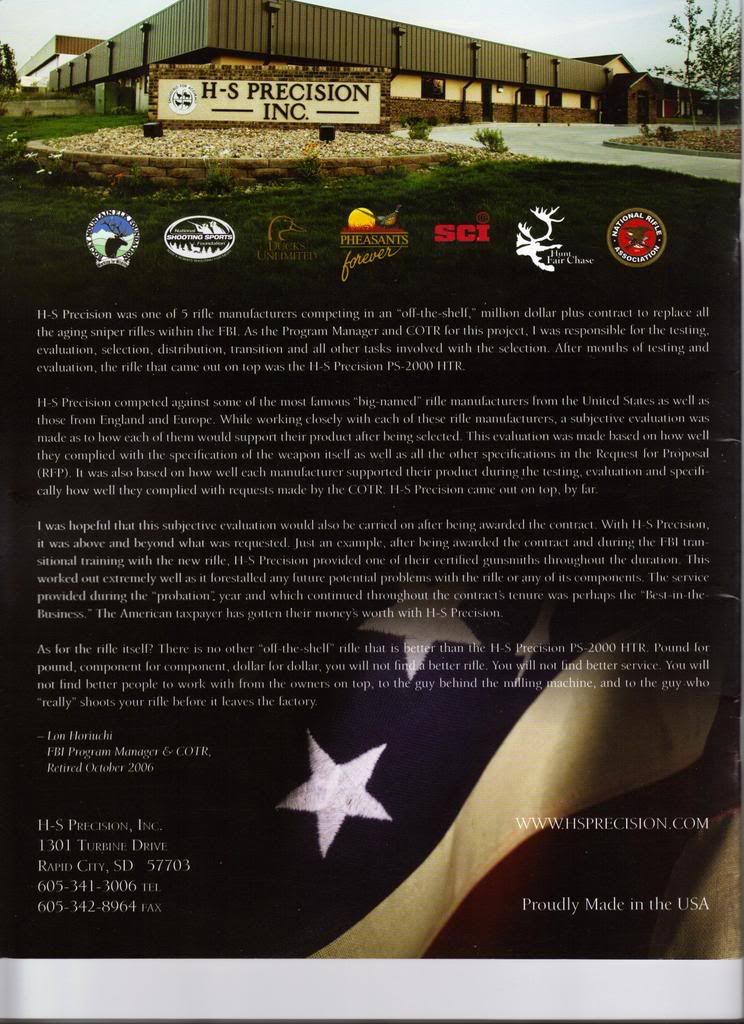
This should be enough to make every freedom loving American vomit.  HS Precision, manufacturer of stocks and other parts for precsion rifles, is featuring an endorsement of their products by Lon Horiuchi on the back of their catalog.  Here's a scan (click on the thumbnail for a full size image):


For readers unfamiliar with Horiuchi, he is the FBI sniper who shot Vicki Weaver during the the standoff at Ruby Ridge 1992.  He was also present at the 1993 Waco siege where he was again suspected of misconduct.  He charged with manslaughter for Weaver's death but the charge was eventually dismissed in a Federal court, the basis for which was the Supremacy Clause of the Constitution.  (Note that this ruling doesn't go to the merits of the case.)  In gun owner circles, he is regarded as a murderer.

As pointed out by Arfcommer "dedfella," this is akin to having a fertilizer company get an endorsement by Timothy McVeigh.  Poor taste, putting it mildly.

The owners of HS Precision would have to be living under a rock to not understand the revulsion this would incite among gunnies.  Obviously, they don't give a shit about us and are only concerned with securing .gov contracts.  Screw 'em.

Edit: If you click on the link at the top of this thread, a couple of AR15.com members have spoken with people at HS Precision and confirmed this.


Edit 11/27/08: Well, this post has certainly attracted a lot more visitors than normal.  Welcome, and please poke around my site.  If you're interested in the subject matter of this post there's a lot more shooting and RKBA content.

Monday, November 17, 2008

Weekend Update

Saturday morning I went over to my MIL's condo to work on her old XP PC.  I built it for her a few years ago using one of the PCs Wal-Mart was selling w/o an OS.  I give it a tuneup about once a year and generally it's been OK for her light use.  However, recently it became unusable.

The box has a 900 MHz Duron CPU and 256 MB of RAM.  Not bad for when I built it but obviously considered slow by current standards.  Anyway, I saw that she'd let Windows Update install IE7.  Even though she uses Firefox, just having IE7 on it caused the machine to slow to a crawl.  I uninstalled it, cleaned up the registry and got rid of a lot of junk with Crap Cleaner, and got it to the point where it's usable.

The other problem she'll have soon is lack of disk space.  The box has a 10 GB drive with only a couple gig free.

At this point I don't feel that it's cost effective to sink any money into the PC.  I'm considering getting her a cheap laptop, possible a refurbished Dell Latitude from somewhere like eCost.com, and moving her over to that.  One nice thing about a laptop would be that instead of me having to schelp to her condo if it needs attention, she can bring it to me.  We'll see.

Yesterday I was able to get out to the range for a couple of hours.  I ran about 80 rounds of .45 ACP through my Springfield M1911 without a bobble.  I'm confident now that the functioning issues I had a little while ago were magazine-induced.  The last time I had the gun out I identified the bad mag and junked it.  I currently have one 7 round Springfield factory mag, four Chip McCormick 8 round Shooting Star mags, and two 10 round CMC Power-Mags.  (I generally use the latter in my Marlin Camp Carbine because I don't like how the pistol feels with the extra-capacity magazine.)  I need to pick up some more of the 8 round Shooting Stars.

After using up all my .45 ACP I went to the 75 yard range and put about 40 rounds through my 1944 Fazakerly No.4 Mk.I Lee-Enfield.  I bought this rifle back around 1985 or '86 and shot it quite a bit through the early '90s.  I haven't shot it much lately and decided it would be fun to give it a workout.  Watching some videos of Lee-Enfield rapid fire on Youtube whetted my appetite.  E.g., this one .

The .303 I show was a mix of my last 3 rounds of HXP Greek surplus, some Sellier & Bellot, and some 1981 Winchester.  It wasn't a problem to keep all my shots inside the black of an SR-1 target from 75 yards, from the bench, shooting pretty rapidly.  I was able to hold the 10 ring if I shot slow fire.  I used to be able to keep them all in the black from 100 yards offhand, slow fire, but I'm out of practice.  Need to fix that.

Sunday, November 09, 2008

Cabela's Trip

This morning we all piled into the Expedition and went to Cabela's in Hamburg, PA.  I figured the girls would really like the various mounted animals and the aquariums, and I wasn't disappointed.

Not surprisingly for this time of year, the store was mobbed.  This in spite of the current down economy.  The crowd in the gun section was especially heavy, stacked two deep in front of the gun counter.  I expected this in light of last week's election results.  I restrained myself and only bought a bulk pack of 525 rounds of Federal .22 LR ammo for $14.99 and a large spray can of RemOil.  (I've come to like RemOil as a cleaner, but IMO it's too light for general lube or anti-corrosion protection.  It's especially handy for hosing out the innards of a dirty AR-15, and the smell isn't bad.)

Aside from the ammo and oil, we got the girls stuffed horses, Judith got some clothes, and I got a new cap to replace one I lost a couple weeks ago.

While there we had lunch.  I can recommend the venison bratwurst.  Yum.

Saturday, November 08, 2008

Range Report

Dad and I made it out to the range today for a couple of hours.  Dad had his Colt AR-15A3 while I brought my Savage 93GL in .22 WMR, 1944 Underwood M1 Carbine, and my Marlin 336 in .30-30.

Dad was shooting mostly Wolf 55 grain .223 today in his AR-15 and experienced a couple failures of the action to stay open on the last shot with it.  He also ran some Radway Green SS109 loads through it with no problems.  He probably has less than 500 rounds through the gun so it's not broken in yet.  I suggested that he stick with the hotter milspec ammo for another couple hundred rounds, after which time it should run better with the Wolf ammo, which is not as hot as American .223/5.56mm.

This was the first time shooting the Savage 93GL since I put a Nikon 4x32mm Prostaff rimfire scope on it.  I did my initial zero using some Winchester Dynapoints I picked up over the summer at Wal-Mart.  I've read that they are a bit less destructive on game than most .22 WMR JHPs so I wanted to give them a try.  Accuracy with the Winchesters was good -- well under an inch at 50 yards -- but I had two rounds in one box of 50 which required a second strike on a different part of the rim to go off.  Very dissappointing.

I also shot some CCI Maxi Mag JHPs through the Savage to confirm the zero, since this is my normal .22 WMR load of choice.  I had my first ever dud with CCI rimfire ammo today.  One round failed to fire even after being hit on three different places on the rim.  {grumble}

This was also the first time shooting the Savage after installing a Rifle Basix sear.  My rifle was made before Savage put Accu-Triggers on their rimfire bolt actions.  The factory trigger was heavy and had a lot of creep.  With the Rifle Basix sear most of the creep is gone and it breaks at about 2.5 lbs, greatly improving shootability.

I only put about 30 or 40 rounds of Remington UMC FMJ through the M1, but experienced no malfunctions.  As expected it shot a little high at 50 yards but I kept all shots in about 2 or 3 inches, typical for an M1 Carbine in my experience.  This Carbine was one of the batch imported from Israel last year.  It has a fair amount of surface character but the bore is excellent.  The recoil seemed a just little brisk for an M1 so I think the recoil spring may need to be replaced with one from Wolff Gunsprings.

Thursday, November 06, 2008

Debian Linux

One of the projects with which I'm involved at work requires me to determine how much bandwidth a streaming IP video product is consuming.  To do so I wanted to run ntop, a protocol analyzer which can present data in nice pretty graphs (important for showing to PHBs).

I've used ntop off and on in the past but one thing that's always been a PITA is installing it.  I first tried installing it on my CentOS 5.2 box but ran into dependency hell.  Next I tried on my Dell Latituded D600, which was a dual-boot XP Pro and OpenSUSE 11 box.  No dice, YAST couldn't find it or rrdtool (a dependency) in the OpenSUSE repositories.  So, I decided to give Debian a try.

I haven't tried plain Debian in years, though I've used derivatives, such as Knoppix and (K)Ubuntu recently.  I am pretty impressed.

To install Debian I downloaded and burned the netinstall image to a DVD (it'll fit on a CD but I didn't have any handy).  The installer recognized all the hardware in my Dell and didn't screw up my XP installation, either.

To get my Intel Pro2200BG wifi NIC running, I had to download firmware, but basic support was already in the 2.6 kernel I'm running.  I'm on an open network and haven't yet tried it on a network with encryption.

Aside from ntop I installed some other network monitoring tools, including nmap, Wireshar, and airsnort, all from Debian's repositories.

So far, so good.  I wish I had tried Debian years ago.

Wednesday, November 05, 2008

Post Election Thought

After watching the results last night this is the first thing that came to mind:

THESE are the times that try men's souls. The summer soldier and the sunshine patriot will, in this crisis, shrink from the service of their country; but he that stands it now, deserves the love and thanks of man and woman. Tyranny, like hell, is not easily conquered; yet we have this consolation with us, that the harder the conflict, the more glorious the triumph. What we obtain too cheap, we esteem too lightly: it is dearness only that gives every thing its value.


--Thomas Paine, Crisis In America I.

And then this:

[N]ever give in, never give in, never, never, never, never-in nothing, great or small, large or petty - never give in except to convictions of honour and good sense. Never yield to force; never yield to the apparently overwhelming might of the enemy.

--Sir Winston Churchill, October 29, 1941, Harrow School.

Tuesday, November 04, 2008

Voted This Morning

This morning I arrived at my polling place about 7:10 and had a ten minute wait.  By the time I left the line went out the door.  In the two decades I've been voting at this place, I've never seen such a line.

It's going to be a nail-biter.

Monday, November 03, 2008

Obama Exposed

One last pre-election bump for my other blog, Obama Exposed.  If you haven't checked it out in awhile please take a look.

McCain/Palin '08!